Inbox
The live list of your workspace's mail, what each row says, and its filters.
The list
Inbox lists your workspace's mail, newest first, and shows new mail within seconds. Live at the top says it's current; Reconnecting…, that it's trying again.
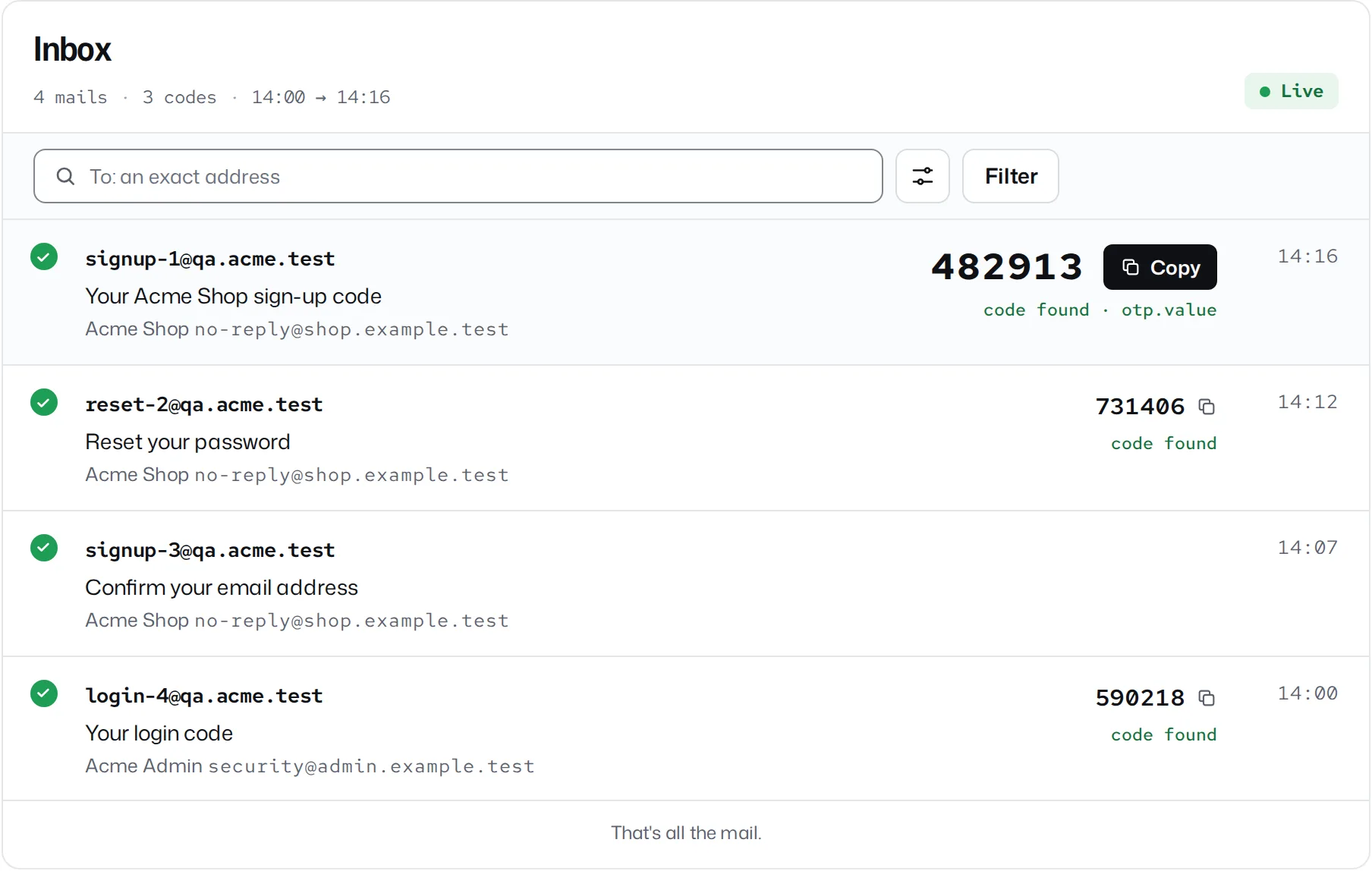
- Select a row's code to copy it.
- Select its address to show only that address's mail.
- Select its subject to open the mail: see Reading a mail.
A row may also say Spam, tagged by the spam filter; Parsing, still being read; or Failed, if Mayfly couldn't read it. Older mail, at the foot, loads more.
Filters
To takes one exact address. More filters, the sliders button beside it, adds From and Subject, which match part of the sender or subject, and Received after and Received before: whole days in UTC, each including the day you pick. Choose Filter, and Clear filters to see everything again.
A reload clears the filters: they never go into the page's address. Search an exact address, the box at the top of every page, opens the inbox filtered to that address. For one domain's addresses, use Mailboxes.