Reading a mail
Everything on a mail's own page: the code, the tabs, the links and attachments, and how long it's kept.
At the top
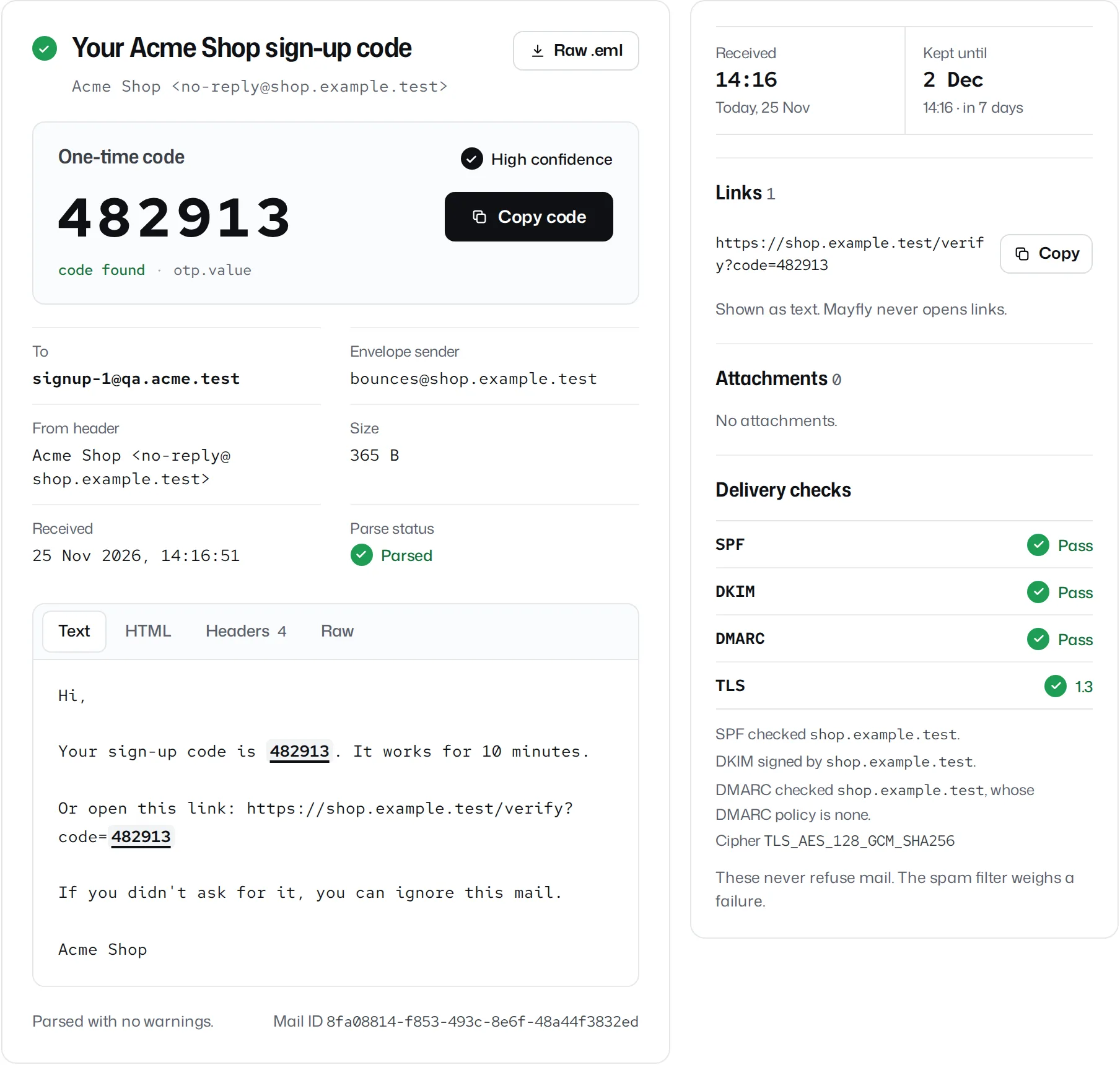
Under the subject and sender: To, Envelope sender, From header, Size, Received and Parse status. Raw .eml downloads the mail as it arrived.
If Mayfly found a code, One-time code shows it large, with Copy code. Low confidence means check the mail before you use it.
The tabs
- Text: the plain-text version, with the code marked.
- HTML: the designed version, in a frame where nothing in the mail can run or load. A mail with no HTML shows its text here.
- Headers: every header, as sent.
- Raw: Download raw mail, as it arrived, with Mayfly's Received header added.
Under them, Notes from the parser lists anything the parser found broken or left out. Otherwise the page says Parsed with no warnings.
Beside the mail
- Kept until: when the mail is deleted, and how long that is from now. Your plan sets how long.
- Links: every link in the mail, as text, each with a copy button. Mayfly never opens them.
- Attachments: each one's name, type and size. Select one to download it.
- Spam filter: what the filter decided. See A tagged mail.
- Delivery checks: the SPF, DKIM, DMARC and TLS results. They never refuse mail.
What the plan includes
On the Developer plan, attachments are listed but can't be downloaded. Nor can the raw mail, if it has attachments or isn't parsed yet: the page says Raw .eml not on this plan. Usage shows your plan.